

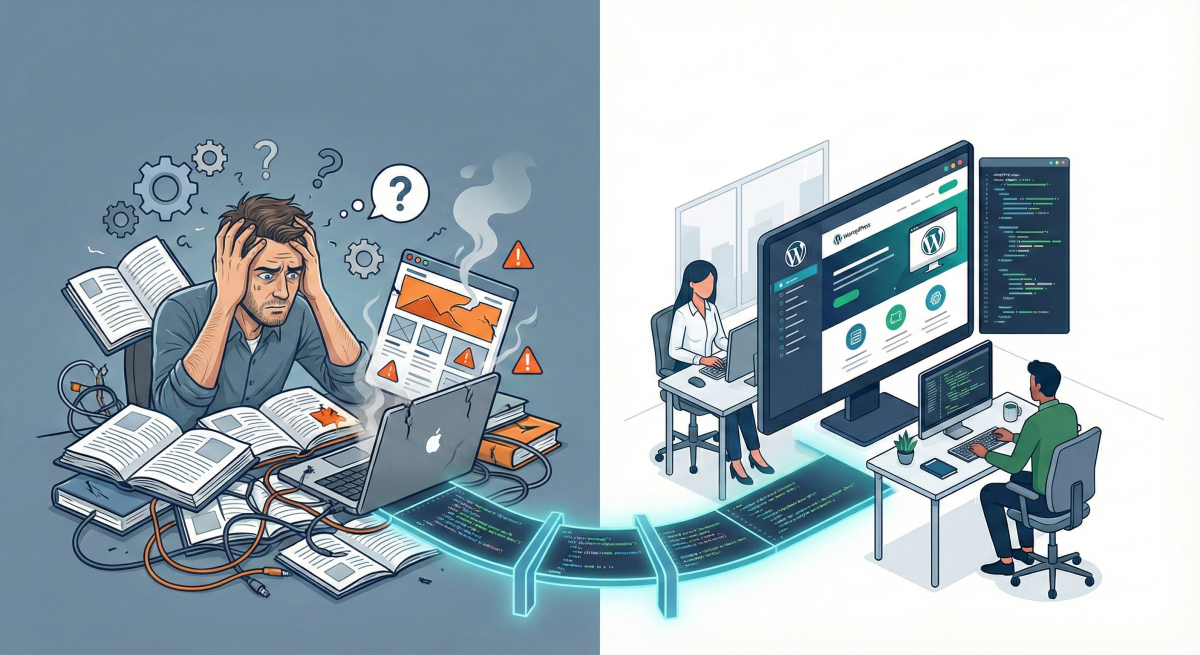

DIY WordPress sometimes makes sense for new businesses, but once your site generates meaningful leads or revenue, the hidden costs (time, opportunity, risk) typically exceed professional maintenance fees by 3-5x.
You launched your business, picked a theme, watched some tutorials, and got a WordPress site online. At the beginning that was exactly the right move. You saved money, learned a lot, and had full control.
Then the business grew.
Now you have more services, more content, more traffic, and more people depending on the site. Updating plugins feels risky. The homepage is hard to change without breaking something. You keep thinking, “We should really fix the website,” but there is never enough time.
This guide is here to help you answer one simple question:
Is it still smart to run your website as a DIY project, or has your business outgrown that approach?
The Three Natural Stages of a Business Website
Before you decide what is next, it helps to understand where you are now.
Stage 1: Launch and Experiment
You needed a site quickly. You chose a theme or a page builder, added a handful of pages, and handled everything yourself. At this stage, DIY might be the right answer. The site is simple, traffic is low, and you are discovering what works.
Stage 2: Growth and Complexity
The business starts to mature. You add more services, publish more content, integrate tools like a CRM or calendar, and rely on the site for real leads or sales. Small issues start to have real consequences. The site feels heavier, and changes are more stressful.
Stage 3: System and Scalability
Your website is now core infrastructure. Performance, security, SEO, and AI visibility are not optional. You treat the site as a system that needs ongoing care. This is where a structured maintenance plan like the one in our Complete WordPress Maintenance Guide becomes essential, and where our WordPress maintenance pricing article helps you budget for the long term.
The Hidden Costs of Long-Term DIY
DIY often feels free, because there is no invoice from an agency. In practice there are three major costs.
Time
Someone on your team is spending evenings and weekends fighting with layouts in a page builder, looking up “how to fix WordPress error [something],” and trying to move a button without breaking mobile.
Opportunity
A slow or clumsy website quietly turns away visitors. A confusing contact form or broken funnel means leads that never reach you. You cannot see every missed opportunity, but you feel the slow growth.
Risk
A plugin with known vulnerabilities, a broken backup, or an outdated theme can lead to hacks or downtime.
Clear Signals That DIY Is Holding Your Business Back
Here are practical signs that it may be time to bring in a WordPress partner or plan a redesign.
- Your Website Is Now a Primary Source of Leads or Revenue
If a meaningful share of new business comes from your website, any downtime or conversion issue has a direct financial impact. A simple contact form error, an SSL issue, or a layout problem on mobile can quietly cost you thousands.
At this stage, the site deserves the kind of structured care we describe in the Complete WordPress Maintenance Guide for 2025, not occasional late-night fixes.
- You Feel Nervous Every Time You Click “Update”
You know this feeling. There are updates waiting. You delay them for weeks because the last time you updated something, half the homepage layout broke.
This usually happens when a site runs an older theme that has been heavily customized, stacks multiple page builders or visual tools, or has many overlapping plugins.
Our Complete WordPress Maintenance Guide and WordPress maintenance pricing article exist partly because this pattern is so common. If normal updates feel risky, you are probably past the healthy DIY stage.
- The Site Feels Slow and You Are Not Sure How to Fix It
You may not know the exact PageSpeed score, but you know that pages hesitate before they render, the site feels worse on phones, and you sometimes abandon your own pages when testing them.
Performance optimization involves addressing Core Web Vitals, heavy images, bloated themes, and hosting quality. You can absolutely learn to deal with these yourself, but for a growing business with an active pipeline, trial-and-error performance tuning has a real opportunity cost.
- Plugin Bloat Is Out of Control
Over time, DIY sites often accumulate several form plugins, multiple SEO plugins, two or more page builders, and a mix of half-used security and performance tools.
Problems appear like conflicting JavaScript, layouts that break when one plugin changes, and a backend that feels slow and messy.
Each “quick fix” plugin seems harmless. Together they create a fragile, hard-to-maintain system.
- Your Marketing Ideas Keep Hitting the Site’s Limits
Your team wants to publish content consistently, build landing pages for campaigns, improve local SEO, and create content that AI tools can easily understand and recommend.
Unfortunately the current structure makes everything harder than it should be. The navigation is confusing, URL patterns are inconsistent, and the blog categories no longer match your strategy.
Our Complete Guide to GEO and AEO Optimization explains how site structure, content clarity, and internal linking affect both traditional SEO and AI search. If your site was built before you had a real strategy, it may be simpler and cheaper to redesign than to keep patching holes.
- More Than One Person Needs to Work in the Site
In the early days, one person could handle all edits. As your business grows, that changes. You might have a marketer, someone in operations, maybe a content writer, all needing access.
If you find yourself thinking, “Please do not touch anything on the homepage,” that is a sign the site lacks clear user roles, a clean editing experience, and a simple content workflow.
A modern WordPress build can give your team safe, straightforward ways to manage content without breaking templates.
- Everyone Is Afraid to Touch the Site
If your site feels “fragile” and important pages feel off-limits, it is effectively frozen. You hesitate to change services or pricing, update visuals, or launch new sections.
That fear is usually a sign of deep technical debt. At that point, a thoughtful rebuild begins to look less like a luxury and more like basic business hygiene.
Conclusion: Outgrowing DIY Is a Good Sign
Needing more than a DIY WordPress setup is not a failure. It is a milestone. It means your business is important enough, and your website is valuable enough, that it deserves professional care.
If several of the signals in this article feel very familiar, it may be time to rethink your approach. You can start small by tightening your maintenance process with our guides, move to a hybrid model with support from a WordPress specialist, or plan a full rebuild that sets you up for the next several years of growth.
The most expensive decision is often waiting too long to act. Every month of poor performance, security vulnerabilities, and opportunity cost adds up.
If you would like a second set of eyes on where you are right now, you can start with the articles mentioned here, or reach out for a short review of your current site. Together we can figure out whether DIY still makes sense, or whether your business is ready for the next level of WordPress support.
Related Resources
- Complete WordPress Maintenance Guide for 2025 – Comprehensive maintenance checklist and best practices
- WordPress Maintenance Pricing: What to Expect – Detailed pricing breakdown for professional services
- Complete Guide to GEO and AEO Optimization – Position your content for AI-powered search