

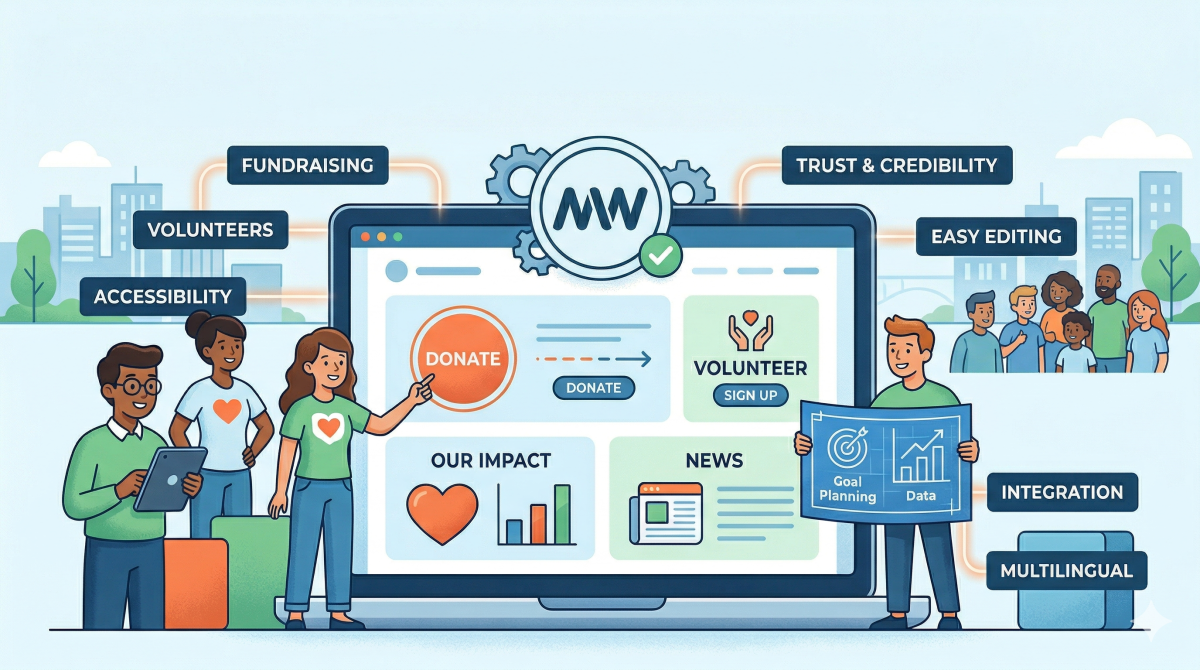

If your nonprofit is planning a new website, the decisions you make early on will shape how well the site actually works for your organization. Get it right and fundraising, volunteer recruitment, and day-to-day content management all get easier. Get it wrong and you end up with a site that creates friction, costs more than it should, and frustrates the people who have to use it.
WordPress is often a strong fit for nonprofits, but the platform itself is only part of the equation. What really matters is building around the real goals of your organization from the very beginning.
At MantyWeb, we have spent nearly 20 years building and maintaining websites for organizations with very different goals, budgets, and operational realities. Here is what we think matters most before you start.
Why nonprofit websites need a different approach
Most website advice is written for businesses that are trying to sell something or generate leads. A nonprofit website has a more complicated job.
You might need to support donations, volunteer signups, events, community trust, grant-maker credibility, and ongoing program communication all at once. And in a lot of cases, that website needs to be managed by a small internal team that does not have a full-time developer available.
That changes how the site should be planned.
A nonprofit website is not a brochure site. The content, structure, calls to action, and backend editing experience all need to support trust, clarity, and long-term usability. If those things are not part of the planning conversation from the start, they usually do not end up in the finished product.
Is WordPress the right fit for your nonprofit?
For most nonprofits, yes.
WordPress works especially well when your organization needs things like donation pages, event listings, volunteer forms, blog content, service or program pages, and regular updates managed by your own staff.
It is also a good fit when you want to own your site and your data, and have the freedom to work with different developers or agencies down the road. That kind of flexibility matters more than most people realize when they are starting a project.
That said, WordPress is not automatically the best choice for every organization. If your team wants the simplest possible all-in-one setup and does not need much customization, a more constrained platform may honestly be easier.
In most cases, though, WordPress is the better call when your website needs to do real work for the organization and grow with it over time.
What matters most on a nonprofit WordPress site
A donation flow that removes friction
Most nonprofits do not lose donors because of the payment processor. They lose them much earlier than that.
The donate button is hard to find. The donation page is buried three clicks deep. The messaging on the page does not clearly connect a gift to something specific. The form asks for too much information too early. The page is slow or awkward on mobile.
Those are not payment problems. They are planning and user experience problems, and they are very fixable with the right attention during the build.
Your donation flow should be one of the first parts of the project you map out, not something that gets bolted on at the end. A visible donate button in the header, a simple donation page, clear impact messaging, and a mobile experience that feels fast and easy will do more for your donation revenue than almost anything else you could optimize.
Program and service pages that staff can actually update
Nonprofits regularly change programs, update eligibility details, add new staff, and publish impact data. If every one of those changes requires a developer, your website becomes a burden instead of a tool.
One of WordPress’s biggest practical advantages is that it can be set up for easy internal editing. With the right build, your team can update important pages without worrying about accidentally breaking the design.
Event and volunteer support
Many nonprofits rely heavily on events, campaigns, volunteer recruitment, and recurring community outreach. Your site needs to support that work cleanly.
WordPress handles this well through its plugin ecosystem. When event calendars, registration forms, and campaign pages are planned properly from the start, you can usually cover what you need without custom development.
Trust and credibility
For nonprofits, credibility is central to conversion. A site that looks outdated, loads slowly, or has obvious errors can quietly undermine trust with donors, volunteers, grant reviewers, and community partners.
Your site does not need to be flashy. It does need to look current, load quickly, and clearly communicate your mission and the impact your organization is actually having.
Accessibility
Accessibility needs to be part of the plan from the beginning, not a checklist item at the end of the project.
For some nonprofits, accessibility expectations are shaped by legal, funding, or public-sector requirements. For all nonprofits, it is also a mission-aligned priority. A website should work for the people it is meant to serve.
WordPress can absolutely support accessible websites, but it does not happen automatically. It requires intentional decisions around structure, contrast, forms, alt text, navigation, and actual testing.
Multilingual support
Many nonprofits serve communities where English is not the primary language. If that describes any part of your audience, your website needs to reflect that.
This is not just a nice-to-have. For organizations serving immigrant communities, refugee populations, or regions with significant non-English speaking residents, a monolingual website is a real barrier to the people you are trying to reach. It can also affect grant eligibility and compliance if your funding requires equitable access to services.
WordPress handles multilingual support well, but like accessibility, it needs to be planned for from the beginning rather than retrofitted after launch.
A few options worth knowing about:
Weglot is probably the easiest to set up and works well for nonprofits that need professional-quality translations without a lot of technical overhead. It automatically detects and translates your content, supports 110 languages, and lets you edit translations manually when machine output needs a human touch. It is a paid service, but the pricing is reasonable and it offers nonprofit discounts.
WPML (WordPress Multilingual Plugin) is a more robust solution for organizations that need full control over translated content. It is a better fit when different language versions of a page need meaningfully different content rather than just translated text, or when you have a larger site with complex content types.
Polylang is a free option that covers the basics well for smaller sites. It requires more manual work than Weglot but does not carry an ongoing subscription cost, which matters for nonprofits watching their budget closely.
Which approach makes sense depends on how many languages you need, how much of your site needs translation, and whether you have bilingual staff who can review machine translations. It is worth talking through with your developer before the project starts rather than making it a decision you revisit six months after launch.
The nonprofit integrations that matter most
A nonprofit website is rarely just a website.
It often needs to connect with donation tools, email platforms, CRMs, event systems, volunteer forms, and analytics. That integration layer is one of the most important planning areas and one of the most commonly overlooked.
Before you build, think through questions like these:
Where should donor data go after someone gives? Will your email platform need to segment donors, volunteers, and event attendees differently? Do you need a CRM connection now, or is that coming soon? Will staff need reports that pull from multiple systems?
Even if you are not ready to integrate everything right away, planning for these tools early will save a lot of rework later.
The pages most nonprofits should prioritize
A lot of nonprofits do not need more pages. They need the right pages.
In most cases, the pages that do the most work when it comes to trust, conversion, and clarity are:
- Home
- About
- Mission and impact
- Programs or services
- Donate
- Volunteer
- Events
- Contact
- Financial transparency or annual report
You may need more than that depending on your organization, but this is usually where to start.
Why AI visibility matters for nonprofits now
This is something most nonprofits are not thinking about yet, but it is already affecting them.
More donors, especially younger ones, are using AI tools as part of how they research organizations before they give. Instead of just searching Google, they are asking ChatGPT, Claude, Perplexity, and similar tools questions like “what are the best nonprofits helping homeless youth in Chicago” or “is this organization reputable.” The AI answers those questions based on what it can read and understand from your website.
If your site is vague, thin, or structured in a way that AI tools struggle to interpret, your organization may not show up in those answers at all. Or it may show up inaccurately.
Getting this right does not require chasing trends. It mostly means doing the basics well: writing clearly about what you do and who you serve, publishing specific impact data and outcomes, making your financial transparency information easy to find, and being consistent in how you describe your mission across the site.
If you want to understand how AI tools are currently reading your site, our AI Friendliness plugin scans your WordPress site and scores how well it is optimized for AI visibility. It is one of the faster ways to spot gaps before they cost you donors who found a better-optimized organization instead.
We have also written more about this topic in our guides on improving AI visibility and GEO and AEO optimization.
Common mistakes in nonprofit website projects
Building for a generic business audience instead of a donor audience
Nonprofit visitors usually need a clearer trust-building path. Impact stories, transparency, outcomes, and direct calls to action matter more than polished marketing language.
Ignoring the volunteer journey
Some sites make donating easy but bury volunteer opportunities several clicks deep. For a lot of nonprofits, volunteers are just as important as donors, and the site should reflect that.
Underbuilding the backend for staff
A beautiful site that only a developer can update becomes a liability quickly. The backend needs to be built for the least technical person on your team who will need to use it.
Skipping content structure for reports and updates
Most nonprofits need to publish annual reports, impact stories, campaign pages, and donor-facing content on a regular basis. Without a clear structure, that content becomes harder to manage and harder for visitors to find.
Not planning for maintenance after launch
This is one of the biggest mistakes we see.
Websites do not stay healthy on their own. Someone needs to handle plugin updates, backups, form testing, security monitoring, license renewals, and ongoing fixes. If nobody owns that after launch, problems build up quietly until they become expensive.
For organizations trying to budget realistically, our article on WordPress maintenance plan costs is a helpful read.
What to prepare before you start the project
Before you hire a developer or agency, getting a few things clear internally will save you a lot of time and money.
Be specific about your primary goals. Are you mainly focused on donations, volunteer recruitment, event support, program visibility, or some combination? Knowing the answer shapes everything.
Make a list of features you actually need now, separate from nice-to-haves. Gather examples of nonprofit sites you like. It is much easier to communicate expectations that way.
Organize your core content before the project starts. That means mission statements, program descriptions, leadership information, key statistics, photos, and any financial transparency materials you want published.
Decide who on your team will own updates after launch. That affects how the backend gets built and how training should be handled.
A little prep here goes a long way. If you want a practical companion for this stage, our WordPress website project checklist is a good place to start.
What to ask before hiring a developer or agency
Before you commit to a project, ask a few direct questions and see what you get back.
Have they worked on nonprofit websites before? Can they show you examples?
Will your staff be able to edit the site after launch? Ask them to walk you through the actual editing experience, not just the finished front-end design.
How do they think about donation flow and donor friction? If they have not thought about it much, that is a red flag.
What does maintenance look like after launch? How do they handle accessibility?
You do not need perfect answers to every question, but you do want clear and thoughtful ones. If you are still evaluating options, our guide on how to find a good WordPress developer can help.
Why WordPress is usually a strong fit for nonprofits
For most nonprofits, WordPress offers the right balance of flexibility, control, and long-term value.
It can support donation tools, events, forms, content publishing, volunteer workflows, and future integrations without locking your organization into a closed platform. You own the site and the data. If your team, vendors, or priorities change down the road, you are not starting from scratch.
The platform is only part of the equation though. What matters more is whether the site was planned around real nonprofit goals and built in a way your team can actually use.
What a realistic nonprofit WordPress budget looks like
Budgets vary a lot depending on scope, but a few patterns are pretty consistent.
A simpler nonprofit site with core pages and donation functionality is going to sit in a lower project range. A more involved site with custom design, events, volunteer workflows, membership features, or deeper integrations requires a larger investment.
Ongoing maintenance should be part of the budget conversation from the beginning, not an afterthought.
The most expensive nonprofit website is usually the one that has to be rebuilt too soon because it was scoped too narrowly, rushed, or handed off without a clear maintenance path.
WordPress NonProfit Examples
Here are a few examples of WordPress sites we actively manage that are non profits:
https://www.selectivemutism.org/
The bottom line
WordPress is a strong choice for many nonprofits because it is flexible, practical, and easier to grow with over time than most alternatives.
But the platform alone is not what makes the project work. The real difference comes from whether the site was planned around trust, donations, volunteer engagement, accessibility, staff usability, and long-term maintenance.
A nonprofit website should not just exist. It should actively support your mission.
If your organization is planning a new site or considering a rebuild, MantyWeb can help you think through what makes sense before the project gets expensive or overly complicated. Reach out to us at mantyweb.com/contact.